

How To Create Glitch Effect In After Effects
- View Larger Image

Create Amazing Glitch in After Effects
If had to choose the one effect that is the most used nowadays in video I would pick the glitch effect, here I will cover the fundamental on what, how to create glitch effects in your art or videos project, whether you are a newbie or a professional you should be able to learn with the provided free digital distortion After Effects project template and use them for your own need.
To make it easy to read I have made tabs below that you can expand and retract to get the information you need quickly.
 A glitch effect makes your footage or image look like is it is being distorted, displaced extremely fast or broken into multiple pieces and returned back to its original position. Its like a small blip error, a disrupted signal, a bad reception and a flicker movement which actually looks cool and trendy. The glitch effects is also name in different term such asdigital distortion ordistortion effects.
It gives a techie vibe to your project. Even though a glitch is an "error", it still simulates a strong tech aptitude and gives that "hacker" style.
The digital distortion/glitch effect can be used for many purposes here are a couple of ideas:
- Revealing a logo
- Make an image distorted
- Broke up a title a in multiple pieces
- To make an animated background
- Transition from a scene to the next
- Overlay on your footage or use glitch as a mask.
- Add a tech feel to your footage
- Make your footage grainy and pixelated
- make a Chromatic Aberration with Saturated Color
- Change a channel and simulate old television
- Satellite scanning earth
- Showing bad reception
- Simulate Poor internet connections
- Simulate Bad video encoding
- Simulate Corrupt data streams
- Low-bandwidth broadcasts.
Need to make one of those above ? feel free to let me know in the comment area.
There are awesome videos tutorial on how to create add a glitch effects to your footage in Premiere, I have selected the one that are the most useful.
The other way you can apply glitch effects to your footage in premiere is to use presets, presets are basically effects that are already made for you, you just have to drag on drop.
If you are crunch on time and don't have much money to spend, there are free Premiere glitch presets you can get on few websites.
- 5 Motion Array free premiere glitch presets
- Cinecom 20 Transition Glitches
Or with a little budget you can also get really awesome and professional distortion glitch effects for Premiere Pro, check out below.
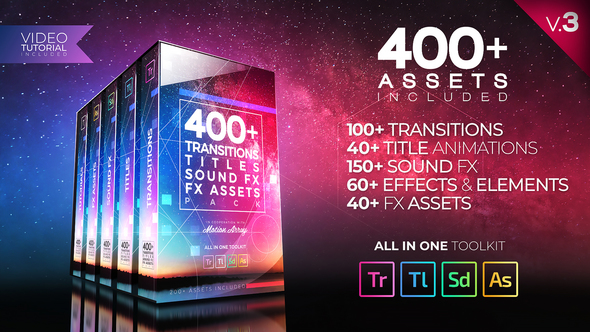 |  | 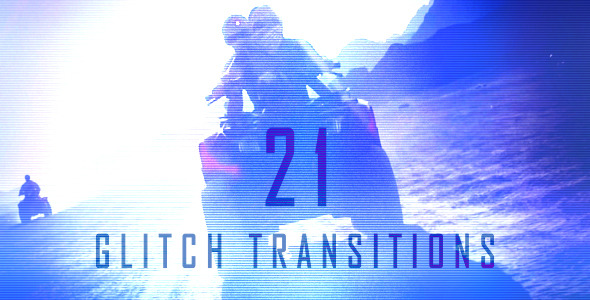 |
| 400+ Pack: Transitions, Titles, Sound FX | 700 Handy Transitions | Glitch Transition |
 | 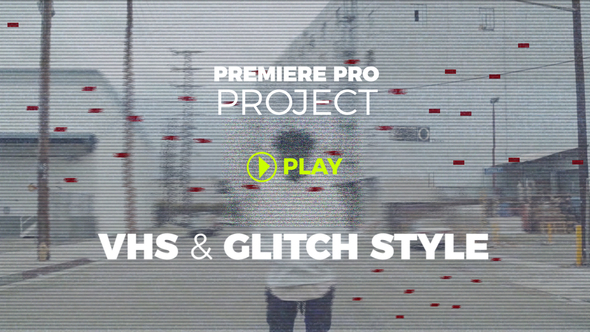 |  |
| 100 Glitch Titles for Premiere | Dirty Glitch & VHS Style | 50 Glitch Titles |
Hopefully it is not news to you there are so many free After Effects glitch effects you can find online
Below is a couple of option I found the most useful.
Rocketstock have an awesome free collection of glitch effects for After Effects you can find it here
On the Georgiiou youtube channel you can find a beautiful set of glitches for after effects, link here
One of the fastest way you can produce simple glitch effects on your video or images is to use the presets that After Effects provides, the nice thing about presets is that you don't need any plug-in and it is as simple as drag and drop on your layer and boom you have a glitch effects animation.
After Effects already has a couple basic TV glitch effect
You can find them in the Effects & Presets window

Creating digital distortion and glitch manually in After Effects can be very time consuming and daunting and that is when plug-ins come into play.
I have selected a list of "glitch" effects plug-in that you might be interested to look at below.
Twitch
Twitch is not a new After Effects plug-in it has been around for a while and is well known in the motion graphic industry.
Here is a list of feature Twitch can do.
BlurOperator:
The blur function contains some of the most advanced features including a threshold slider, transfer modes, and aspect control.
Color Operator:
One of the most fun and useful functions allows you to colorize your twitches as well as randomize color for exciting situations.
Light Operator:
Similar to an exposure function, this operator allows you to choose from adding brightness or darkness to your Twitches or even both.
Scale Operator:
With built in Motion Blur and random anchor selection the Scale operator will give you endless possibilities.
Slide Operator:
One of the most fun to use, the Slide operator has many controls over slide, motion blur, tendency and the advanced RGB Split.
No convince yet, check out the video below
Universe Glitch – REDGIANT
Universe Glitch and Glitch Transition give your footage and and text the look of compressed, glitched video. These tools creates the effect of poor internet connections, bad video encoding, corrupt data streams, and low-bandwidth broadcasts.
TV Distortion Bundle – RowByte
TV Distortion Bundle is a collection of five distortion plug-ins for After Effects and Premiere which help digital media artists create Analog Distortion, Digital Image & Satellite Distortion, Digital Pixel Simulation and Chromatic Aberration with ease. In other words you can simulate TV watching experience from the analog era to the current digital compression era.
The bundle has the following plug-ins.
- Data Glitch
- Bad TV
- Separate RGB
- Dot Pixel
- TV Pixel
Dojo Glitch Script
This one is not really a plug in but I though I would mention it here because it work really well. This handy Dojo script acting more like presets where you select your layer and it apply the glitch effect, you can then edit the settings and optimize your glitch animation.
Features:
- Easily split the RGB channels and create chromatic aberration
- Control individual axis for glitch effect
- Control the glitch frequency and amount
- Add digital artifacts with digital distortion
- Add flickering
- Glitch multiple layers at once and control them individually
Website
Suggested Price: $6.99
You can find free glitch effects footage below, as a best practice please make your due diligence and see if all of them are royalty free.
https://freestockfootagearchive.com
Or check those very affordable footage.
Luckily for those who don't have time or the budget to buy a video editing or motion graphics software, you can find amazing glitch effect tool online where you can upload your images, mp4 videos or even use your webcam and it will make the distortion effects for you. In addition you can even customize your glitch effect with tons of options how cool is that!
Check out the 2 websites below
You still have a glitch questions ?
Just comment below I would love to hear from you.
Related Posts
This site uses Akismet to reduce spam. Learn how your comment data is processed.
How To Create Glitch Effect In After Effects
Source: https://blog.motionisland.com/create-amazing-glitch-in-after-effects/
Posted by: meachamdiesse.blogspot.com
0 Response to "How To Create Glitch Effect In After Effects"
Post a Comment